Please make sure that the billing address entered matches the billing address associated with the credit card. If it does not, an error will display and the checkout process will not complete.
To enter a new billing address at checkout, click the plus sign next to the 'Bill To:' dropdown.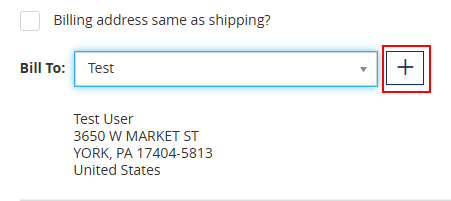
Be sure to give the new address book entry a label for easier selection on your next order. Once this address is added, it will save for future use.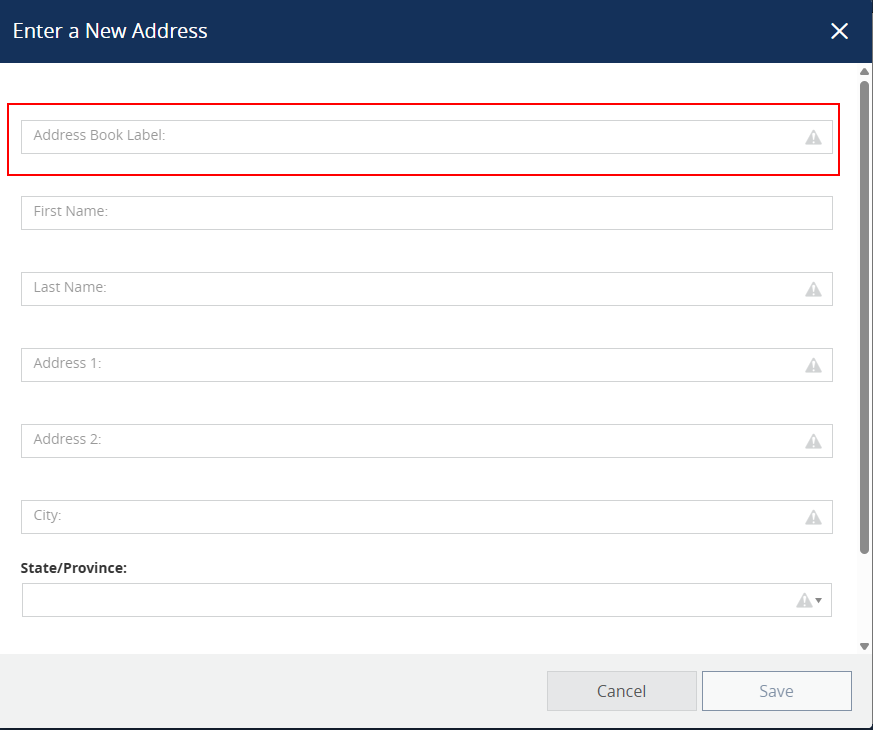
Was this article helpful?
That’s Great!
Thank you for your feedback
Sorry! We couldn't be helpful
Thank you for your feedback
Feedback sent
We appreciate your effort and will try to fix the article